
Manage clients and entities for tax resolution cases.
Create subsidiaries and related entities beneath a parent client while keeping each entity’s documents, Runs, and team access separate.
- Documents connected to the correct entity
- Separate Run outputs and history
- Role-appropriate team assignments and access
- A complete view of the parent-client relationship

Keep related entities connected without combining their records
- Preserve parent-client relationship
- Keep each entity's work separate
- Find correct entity before starting a Run
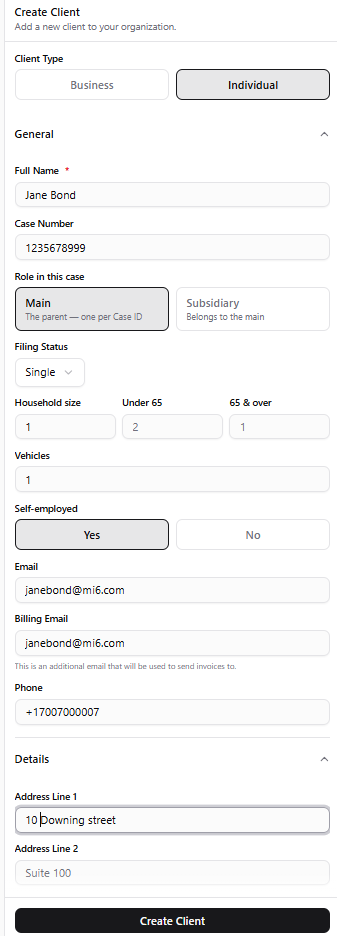
Create the right client record from the start
Set up an individual or business, identify whether it is the main client or a subsidiary, and capture the case and billing details the firm needs before work begins.
- Choose an individual or business client
- Define the main or subsidiary relationship
- Keep case, filing, contact, and billing details together
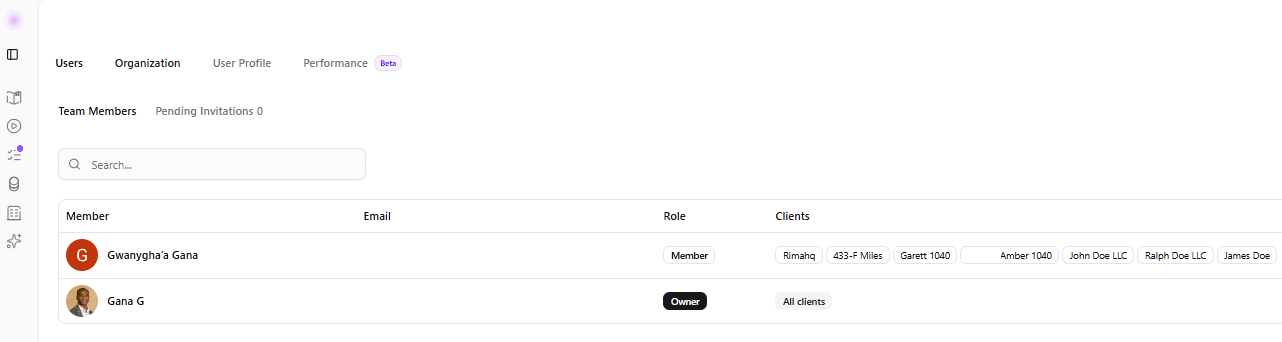
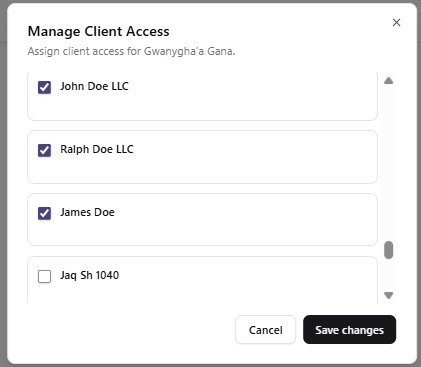
Give each team member access to the right clients
Assign organization roles separately from client access, then update the client list as responsibilities change.
- Distinguish firm roles from client assignments
- Grant access only to the relevant client records
- Update assignments without changing the underlying client structure
Increase preparation capacity without losing review control
Keep documents and draft outputs with the right client record, give the relevant team members access, and make open questions visible before approval. A faster draft still needs a practitioner to verify source information and resolve flagged gaps.
A clear structure for multi-entity clients
Give every case the right organizational context while maintaining a complete view of the overall client relationship.
Organized case information
Keep documents, Runs, outputs, and history connected to the correct client and entity, cleanly archived and fully searchable.
Connected firm systems
Keep Rima's resolution preparation alongside the practice-management and document tools your firm uses. Discuss how information would move between your systems during a demo; do not assume a native integration is available.
See how Rima organizes a multi-entity client.
Walk through parent clients, subsidiaries, entity-specific work, and team access.