
ProductWorkflows & Review
Route case-manager work to enrolled-agent review.
Case managers complete the work and request sign-off. Enrolled agents review the source material, edit when needed, approve, or return the work with notes.
- Review source documents beside the prepared form
- Edit values and approve completed work
- Return work to the case manager with specific notes
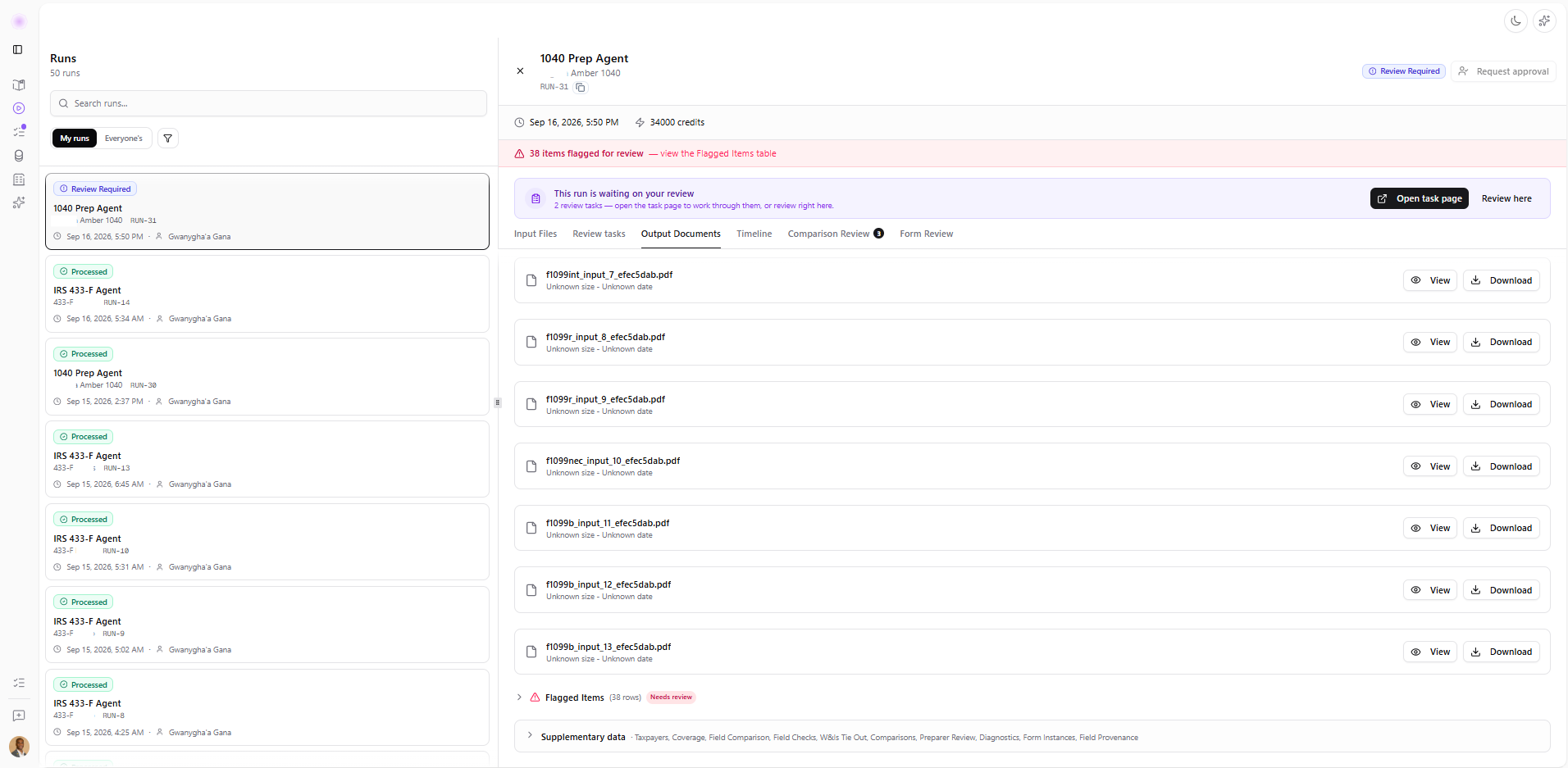
Prepare the work and resolve flagged items
- Review files in Run
- Resolve extraction and form-review flags
- Request EA approval when ready
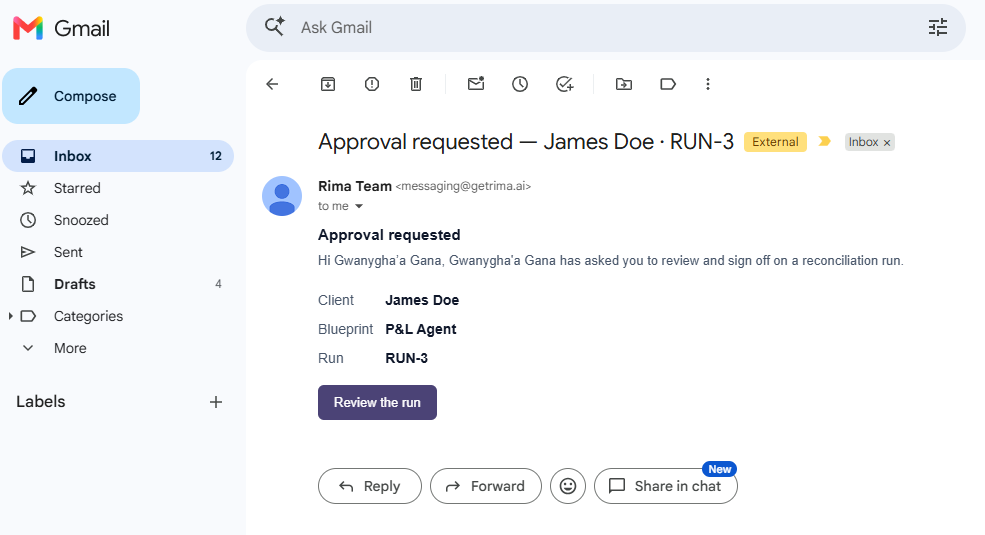
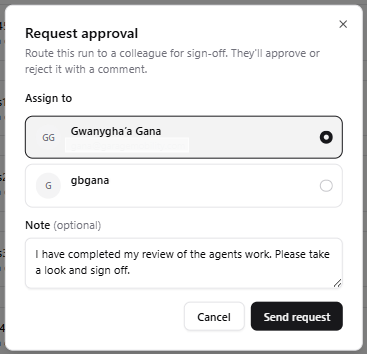
Send the work to the right reviewer
- Choose approving colleague
- Add reviewer context
- Notify with direct Run link
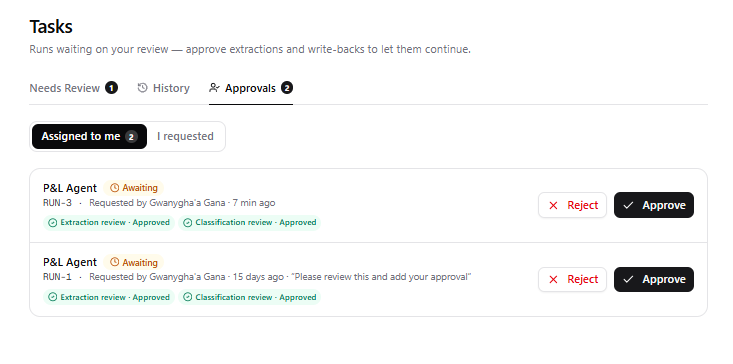
Keep pending approvals in one queue
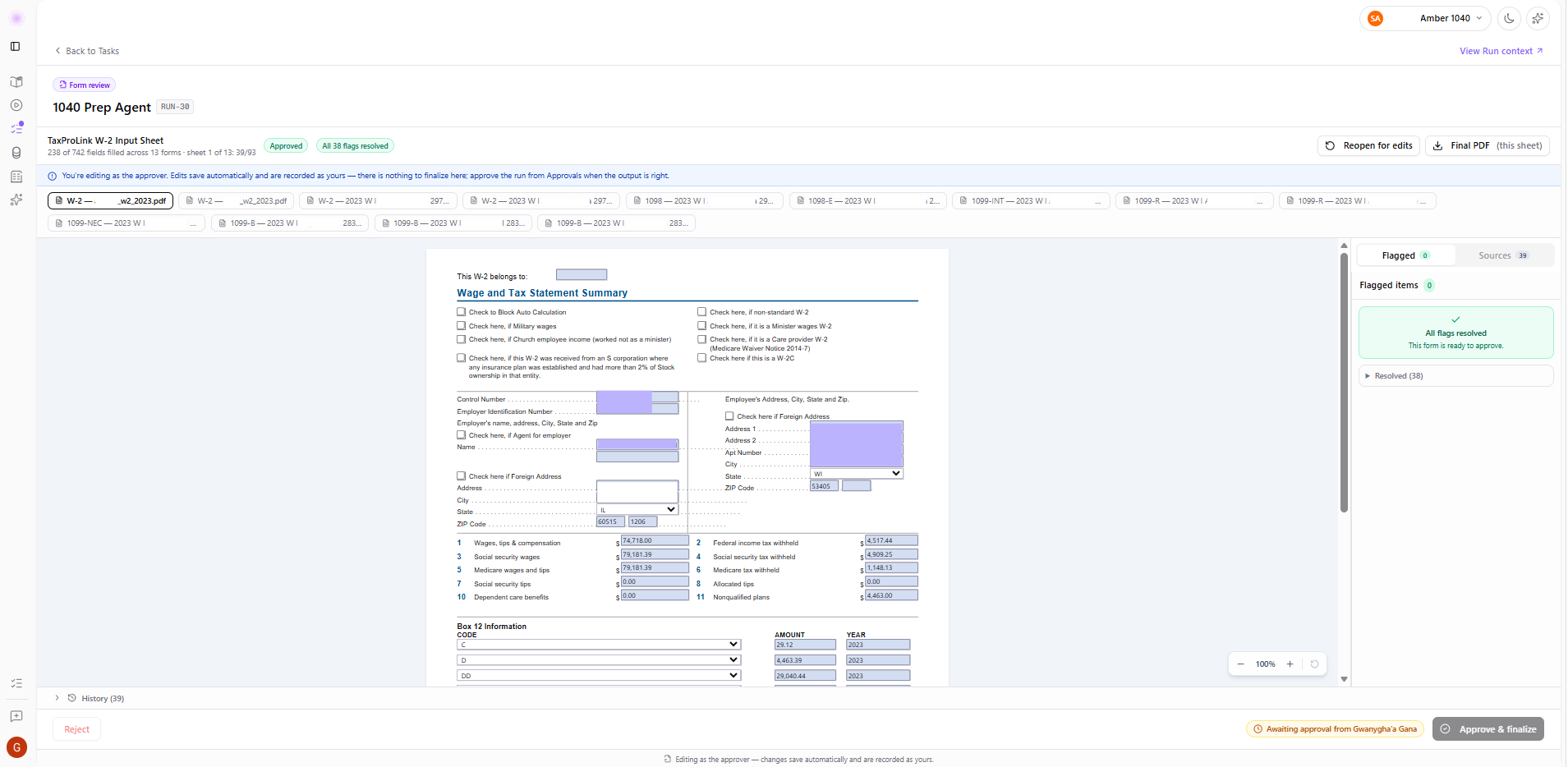
Review the prepared form against its sources
- Compare prepared form with sources
- Edit values without leaving review workspace
- Resolve flags and finalize
Every task tracked. Every Run documented.
Task-level audit trail
Track every action within a task, including edits, review decisions, and approvals.
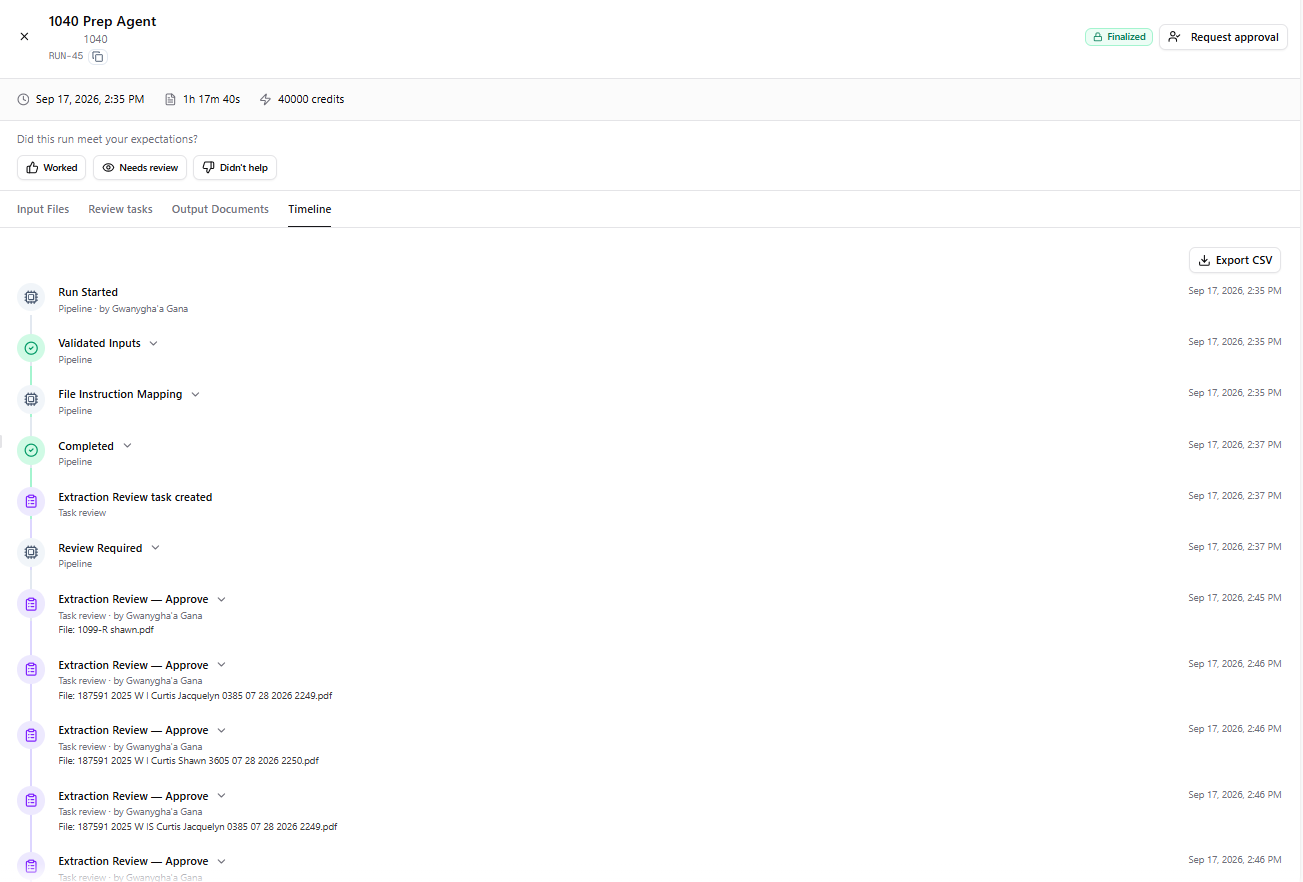
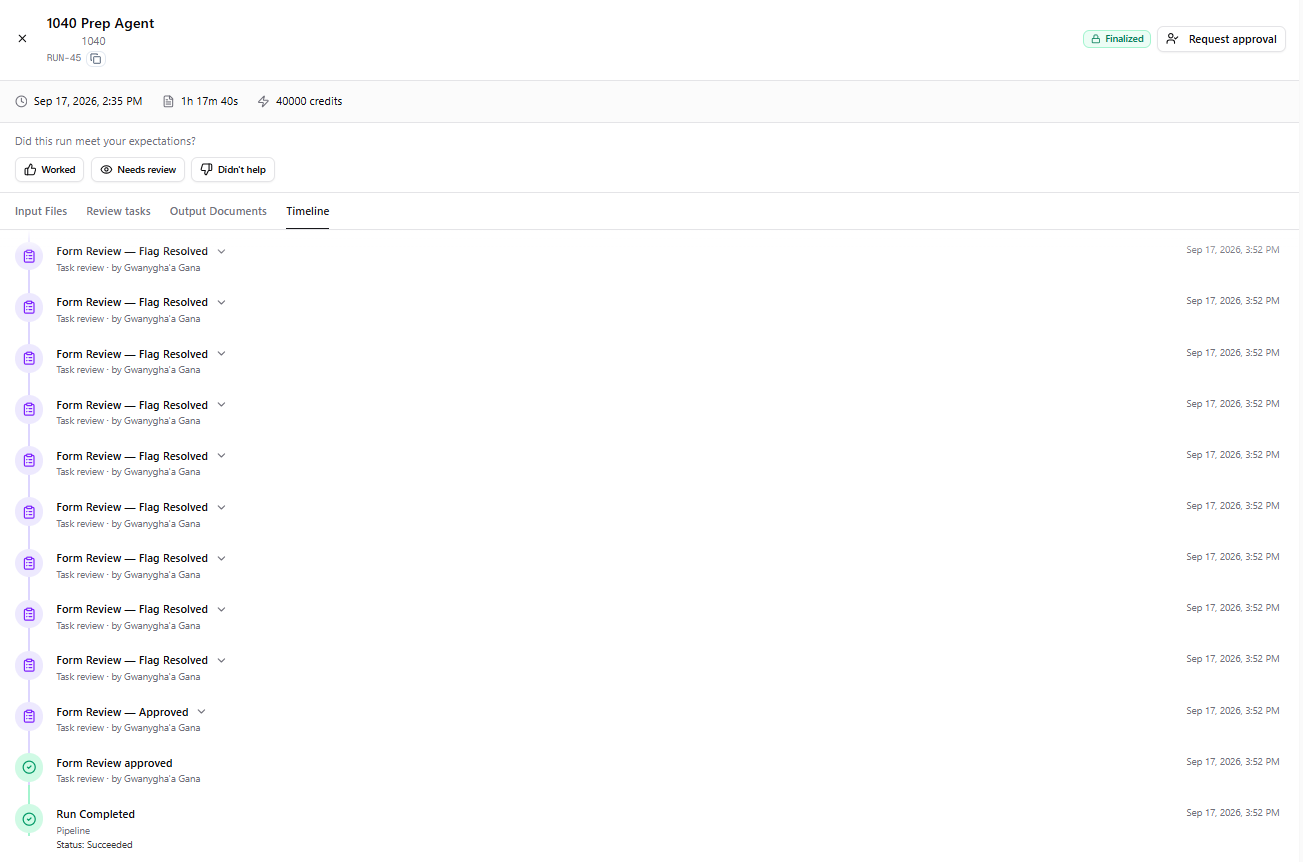
Full Run timeline
Follow the complete history of a Run, with system activity and human actions recorded in one chronological timeline.
Run Start
Final Approval
See the review handoff in context.
Walk through how a case manager requests sign-off and how an enrolled agent reviews the work.