
Prepare tax resolution forms from client documents.
Rima reads financial documents, maps the relevant values into 433-F, 433-B, and 433-A (OIC) forms, and flags gaps for the case manager to review.
Drafts can contain extraction errors or miss information in unclear or incomplete records. Check each figure against its source, resolve flagged gaps, and have the responsible practitioner approve the form before use.
- Reads bank statements, transcripts, loan statements, utility bills, and intake forms
- Maps extracted values into the correct IRS collection-form fields
- Flags missing or inconsistent supporting information for review
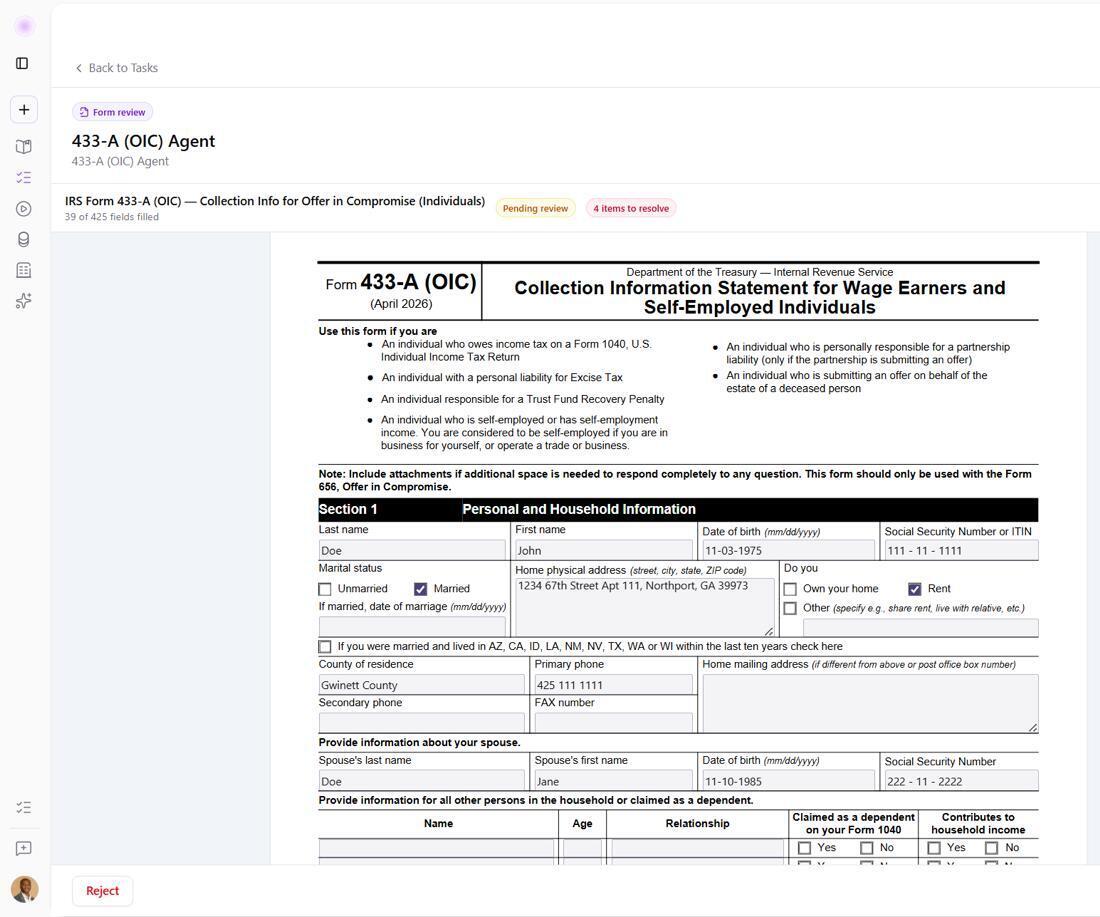
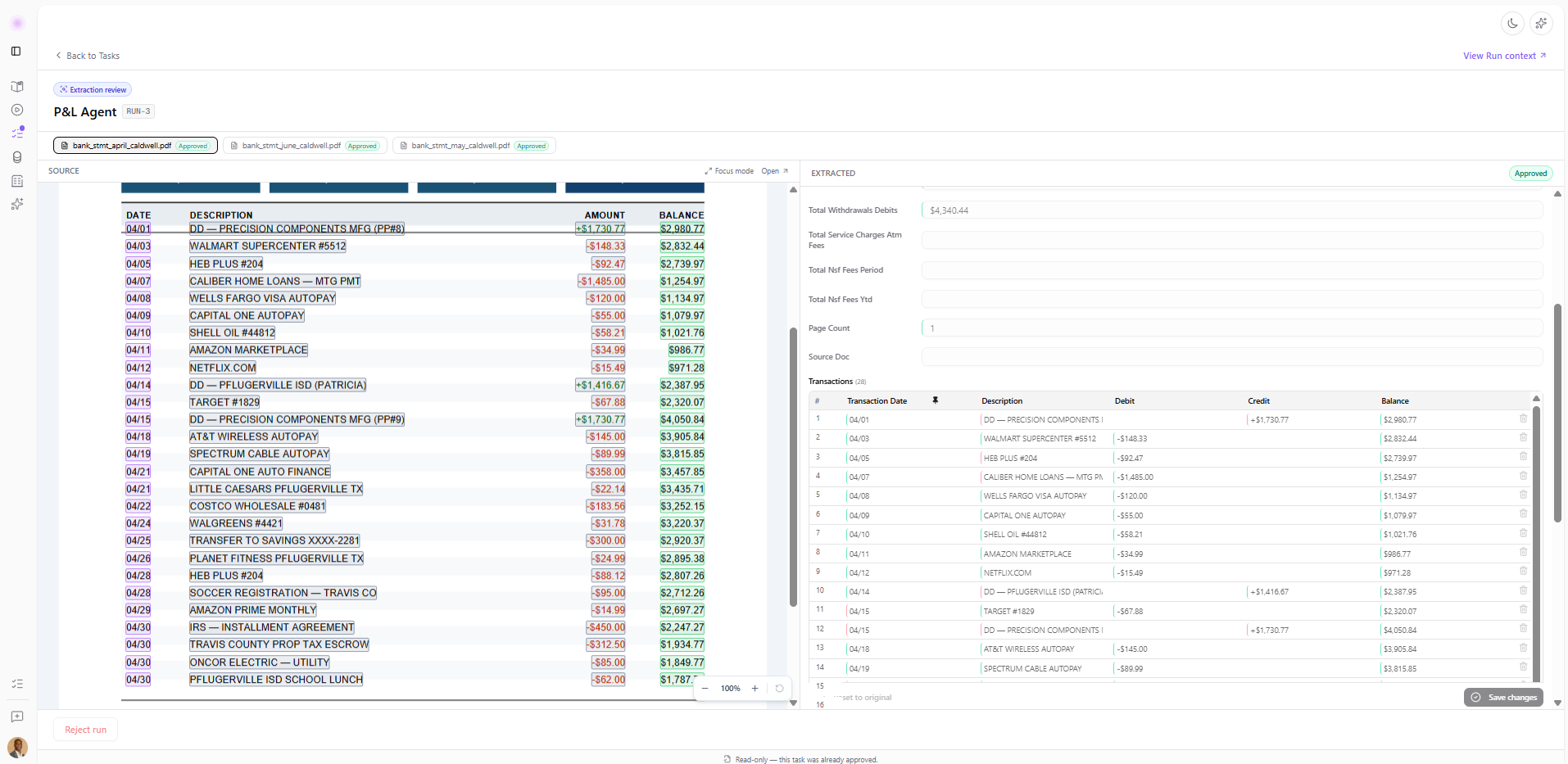
Review the source beside the extracted data
- Review the source and extracted values together
- Correct transactions before approval
- Preserve the source-to-output relationship
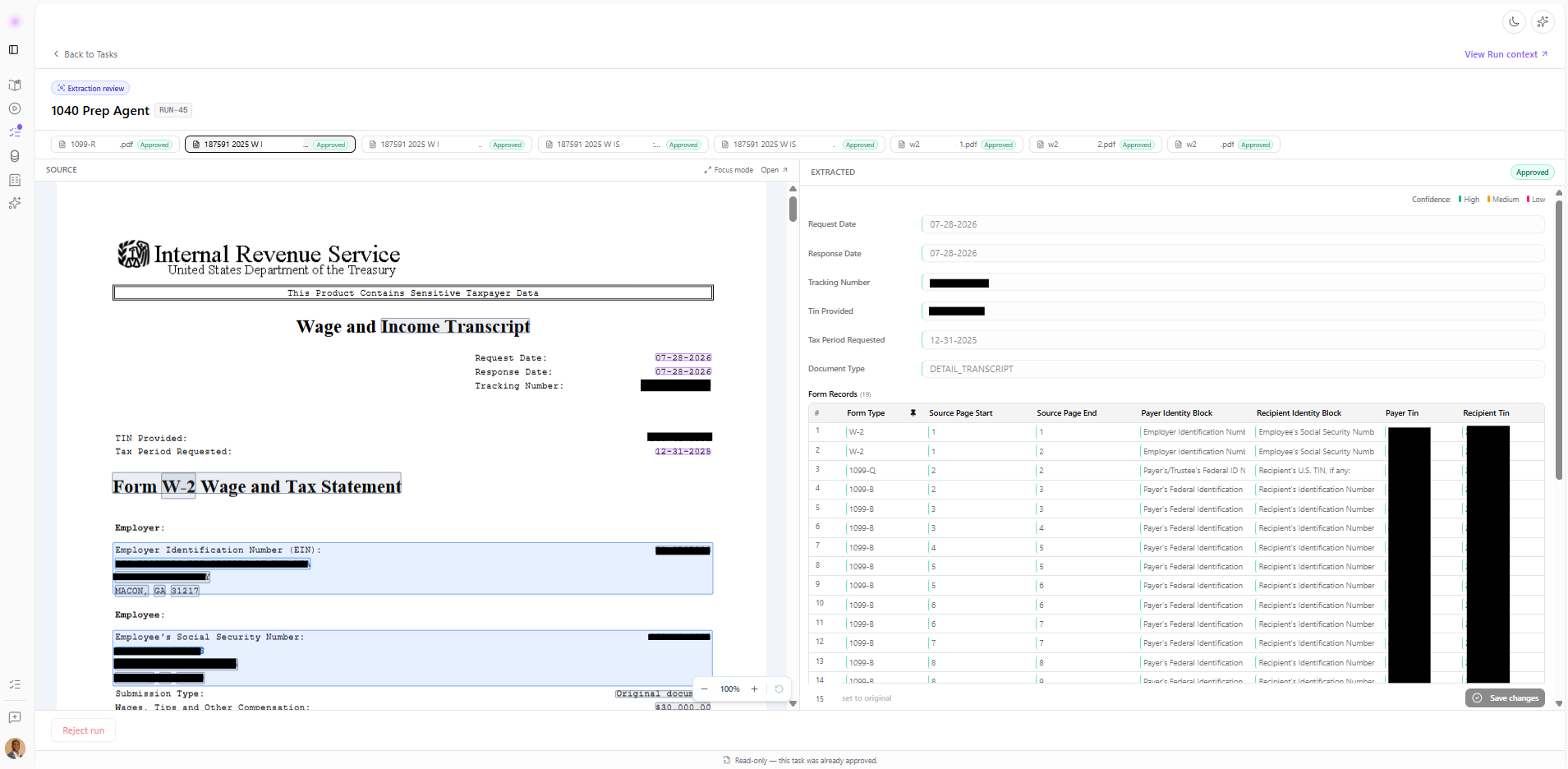
Extract and map transcript data
- Identify the document and tax period
- Extract structured transcript data
- Map records to the relevant form types
From source document to case-manager review
Extract the relevant values
Process bank statements, tax transcripts, loan statements, utility bills, intake forms, and other supporting documents page by page.
Populate the correct form fields
Apply the firm’s rules and edge-case exceptions while placing values into the appropriate sections of the selected IRS collection form.
Surface missing support
Flag incomplete or inconsistent information so the case manager can verify the source, resolve gaps, and prepare the form for enrolled-agent review.
Bring one of your firm’s forms.
See how Rima handles the source documents, field mapping, and review steps in your process.